
Adjusting Your Power Settings in Windows
Overview
PostEngine and your computer must be open and running all day so that PostEngine can complete its automated functions, including:
- auto-renewing live ads in your community's Craigslist account,
- auto-posting your scheduled posts at the times you've selected, etc.
Check your power settings to ensure your device doesn't shut off and interrupt PostEngine while you're busy with other tasks!
Adjust sleep settings
We recommend preventing your computer from automatically entering sleep mode while PostEngine is running.
- Open the Windows Start menu.
-
Select Settings > System > Power & battery.
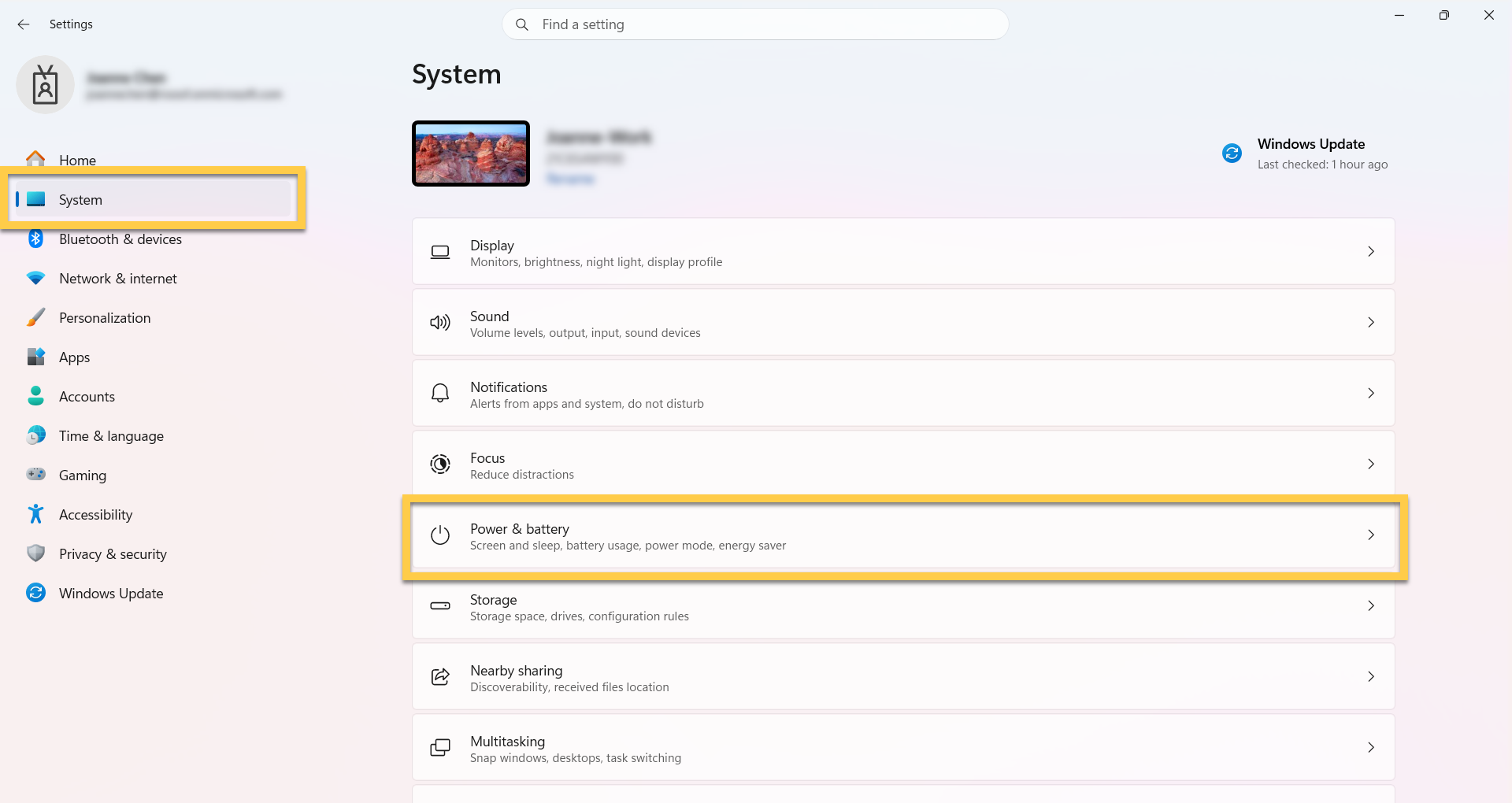
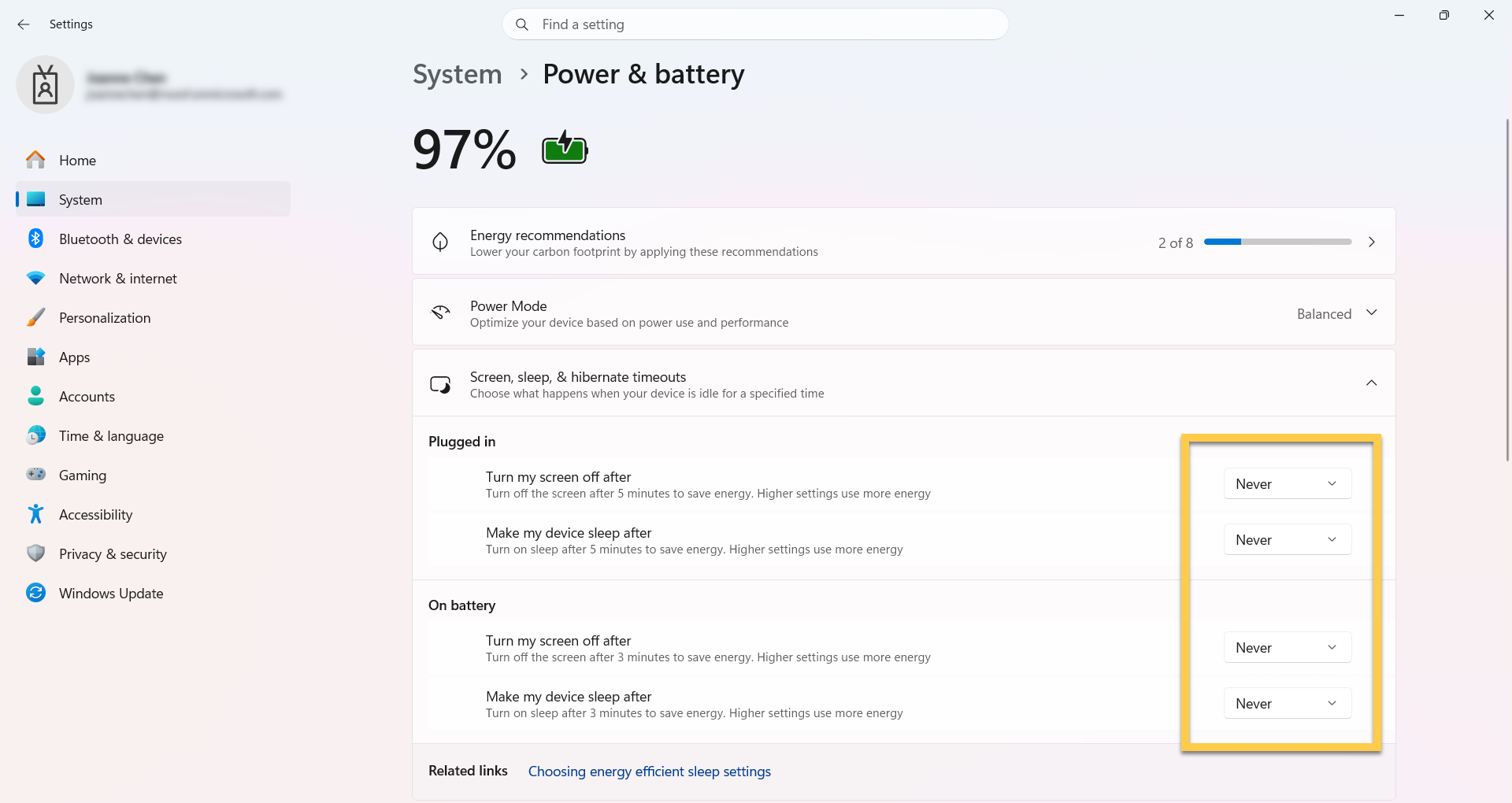
- Expand Screen, sleep & hibernate timeouts.
-
Select how long you want your device to wait before going to sleep when you’re not using it. We recommend setting it to Never.
Check hibernation settings
Some devices are configured to enter hibernation when the lid is closed or when the power button is pressed.
- Open the Windows Start menu.
- Select Settings > System > Power & Battery > Lid, power & sleep button controls.
- Review the settings for what happens when you interact with your device's physical controls.
-
Adjust these settings as needed to prevent the device from entering sleep or hibernation while PostEngine is running.
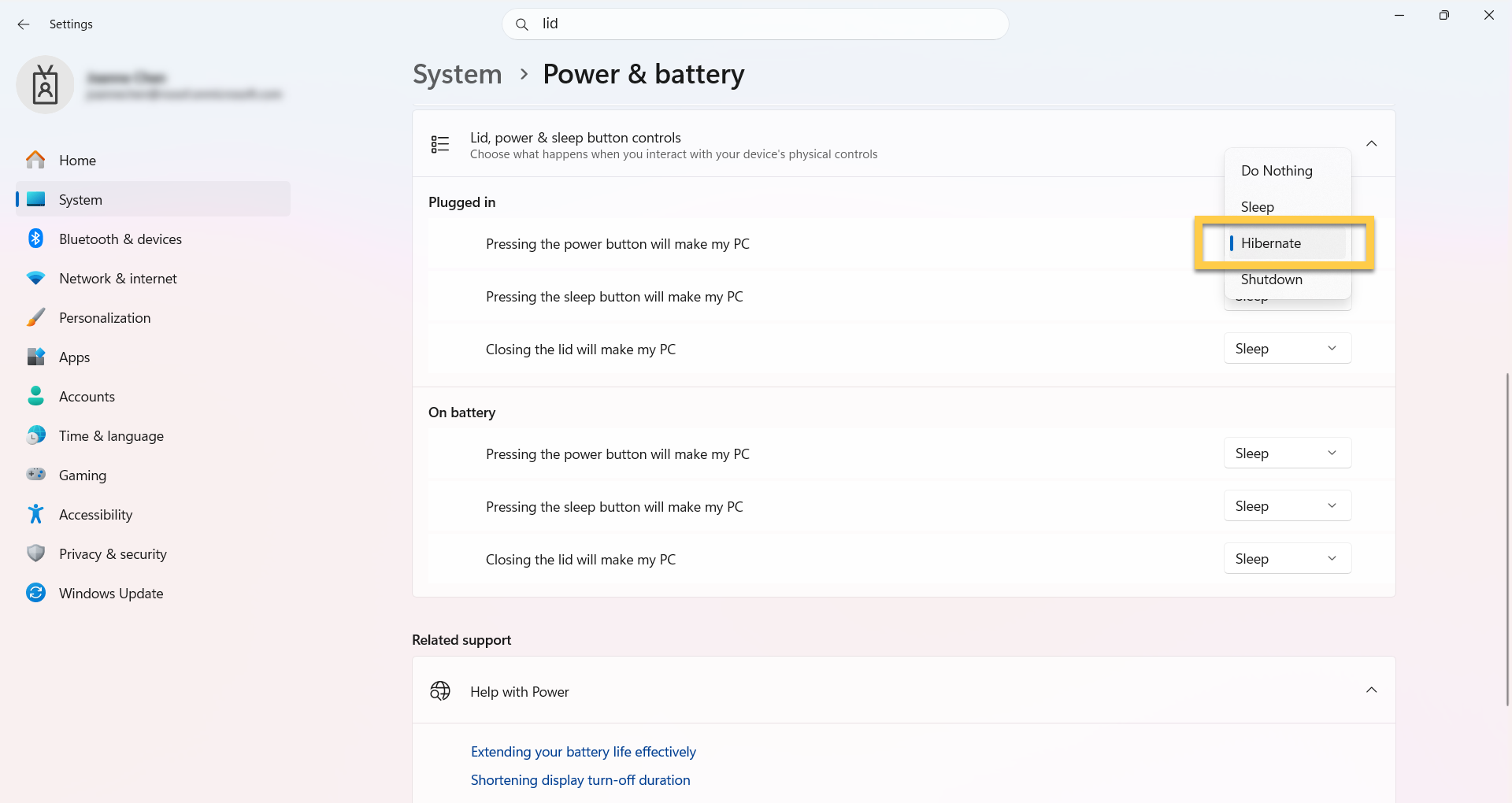
Please note: The hibernate option was designed for laptops and might not be available for all PCs. Hibernate uses less power than sleep and when you start up your computer again, you’re back to where you left off (though not as fast as sleep). The appearance of these menus may differ slightly depending on your computer*
Troubleshooting
Do I need to be logged in for PostEngine for Desktop to run?
Yes. You must remain logged in and have PostEngine open for automated functions to run.
I have to lock my computer due to corporate policy, will that cause problems?
As long as you're logged in before you lock it, background processes should still run and PostEngine should be uninterrupted!
Here's a breakdown of how PostEngine will function in various scenarios:
| Scenario | Function |
|---|---|
| PostEngine is open but minimized | PostEngine will function normally |
| Display is off but computer is still running with PostEngine open | PostEngine will function normally |
| Computer is locked but a user is logged in with PostEngine open | PostEngine will function normally |
| Computer is in sleep or hibernation mode | Background processes like Scheduled Posts and Renews will be interrupted |
| Computer is shut off | PostEngine will not be running — all processes will be interrupted |