
Reporting a Problem in PostEngine
In this article
Report a Problem when using the PostEngine for Desktop Application
Overview
If you experience an issue while using PostEngine, you can report it directly from the app/extension. Submitting a Report a Problem report sends diagnostic information to our support team so we can investigate more quickly. It's a great way to get in touch with our Support Team if you're experiencing any issues with posting, need help finding your Post Now buttons, or just have a question for us!
Report a Problem when using the PostEngine for Desktop Application
- Open PostEngine for Desktop.
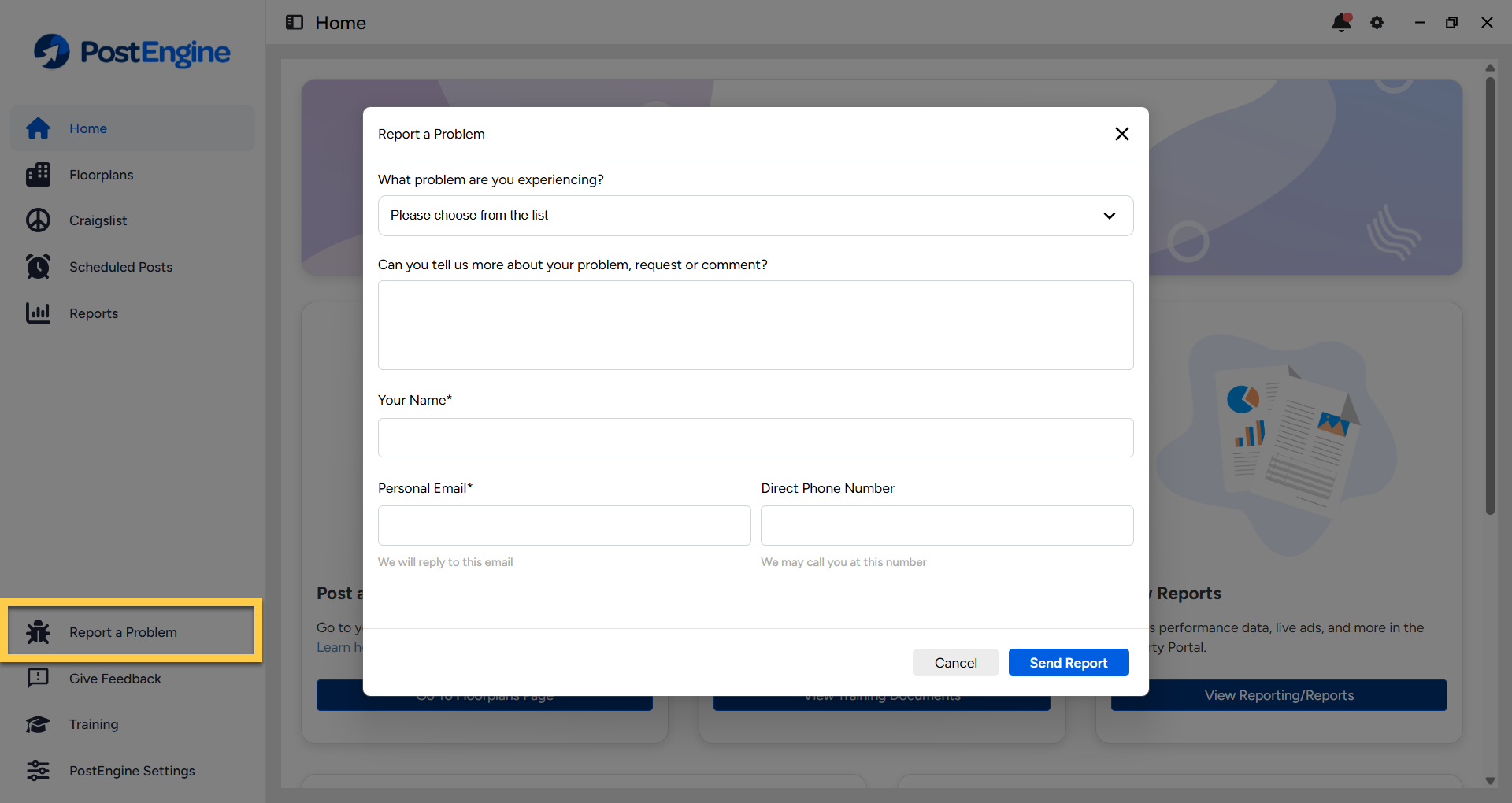
- Click Report a Problem in the bottom left.
- Use the drop-down to select the option(s) that best describe the issue you're experiencing. If you'd like to give us more information, please include it in the field.
- Enter your contact information. Double-check that you've entered your email address correctly so that our response reaches you!
-
Click the blue Send Report button. We'll follow up with you as soon as possible!
Report a Problem when using the PostEngine Chrome Extension
- Open Google Chrome.
- Navigate to the page that you normally post from.
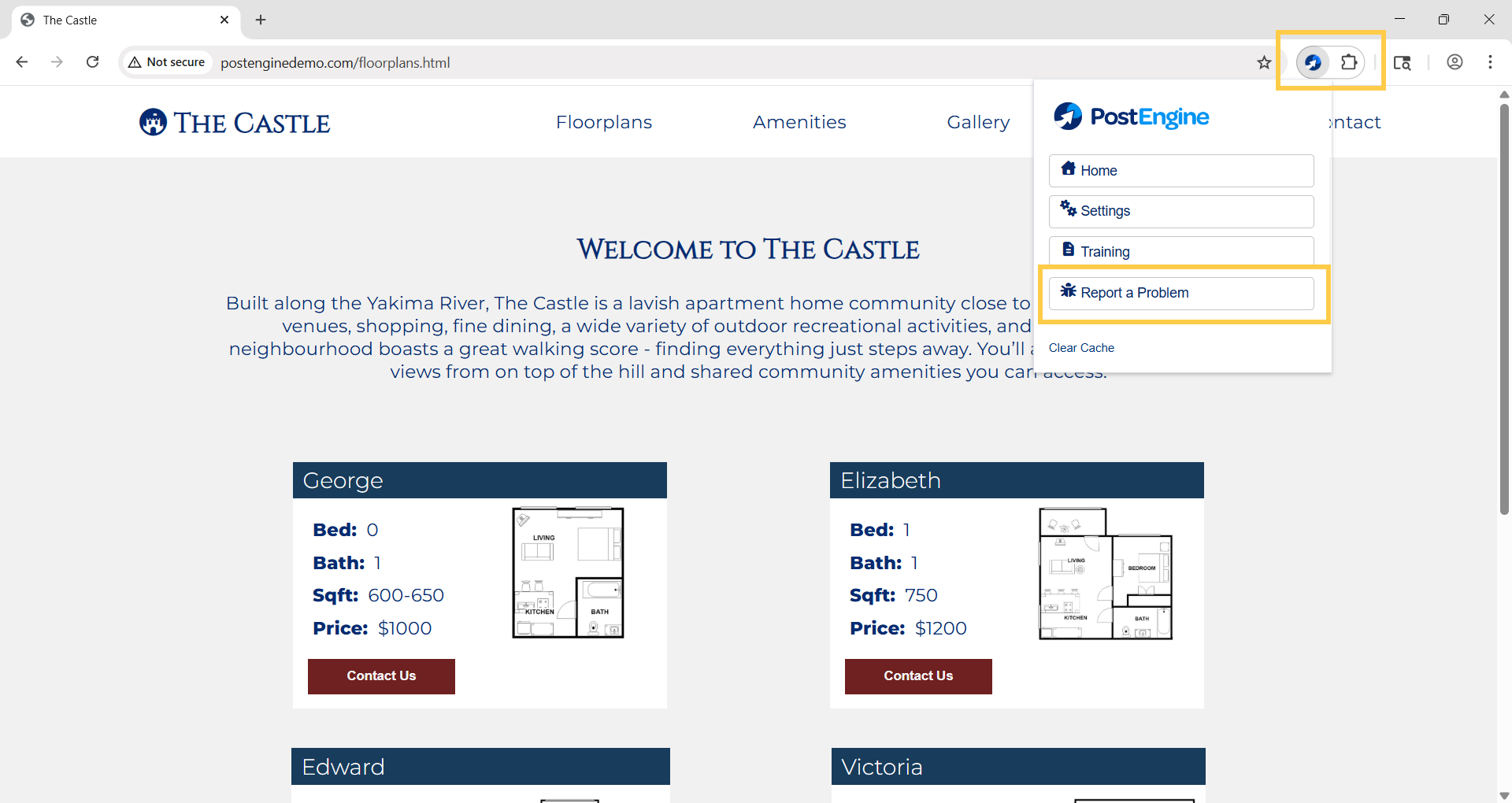
- Click on the puzzle-piece icon in the upper-right corner of the Chrome browser window.
- Click on PostEngine by Rooof.
- Click Report a Problem.
- Use the drop-down to select the option(s) that best describe the issue you're experiencing. If you'd like to give us more information, please include it in the field.
- Enter your contact information. Double-check that you've entered your email address correctly so that our response reaches you!
-
Click the blue Send Report button. We'll follow up with you as soon as possible.
Troubleshooting
I submitted a report but still need help.
Once your ticket has been submitted, we will follow up as soon as possible! You can follow up through email at help@rooof.com if you need to!