
Managing Activation Codes in PostEngine for Chrome
In this article
Overview
Activation codes are property-specific and required to activate PostEngine and begin posting ads for your property(s). If you manage multiple properties, you can add multiple activation codes and switch between them as needed. This article will show you how to add and remove activation codes in PostEngine for Chrome.
What is an activation code?
Activation codes ensure PostEngine functionality and accurate reporting for your property. You will need to enter an activation code when you're installing PostEngine so that the software knows which company and property you're posting for.
They are 20-letters long and split into 4 groups of 5, separated by dashes like this:
ABCDE-FGHKM-PRTWX-ZABCD
Activation codes never expire and are unique to your property; the same code can be used to activate multiple installations of PostEngine.
Add an activation code
- Open Google Chrome.
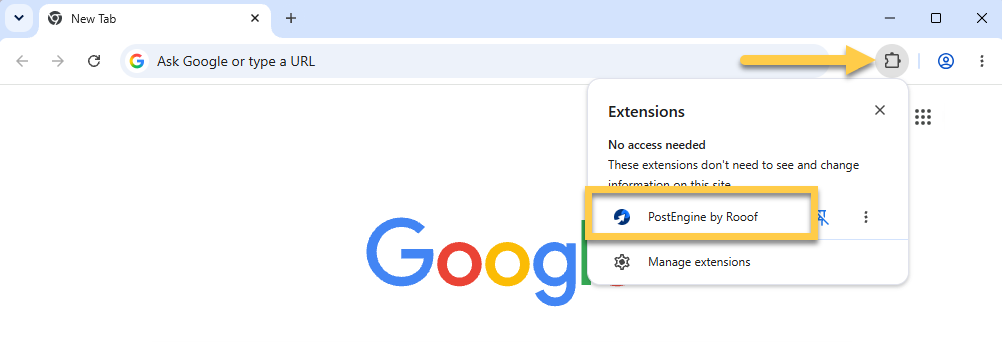
- Click Chrome's extension menu (the grey, puzzle piece icon in the top right corner).
- Click PostEngine by Rooof.
-
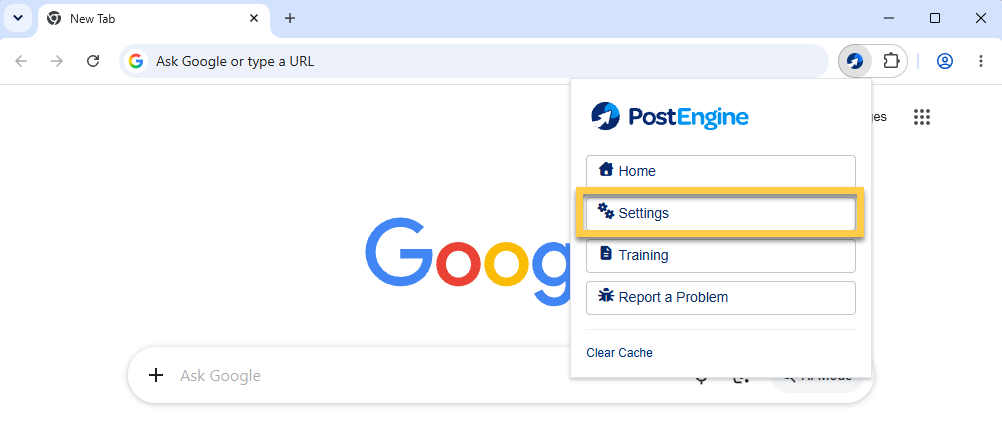
Click Settings.
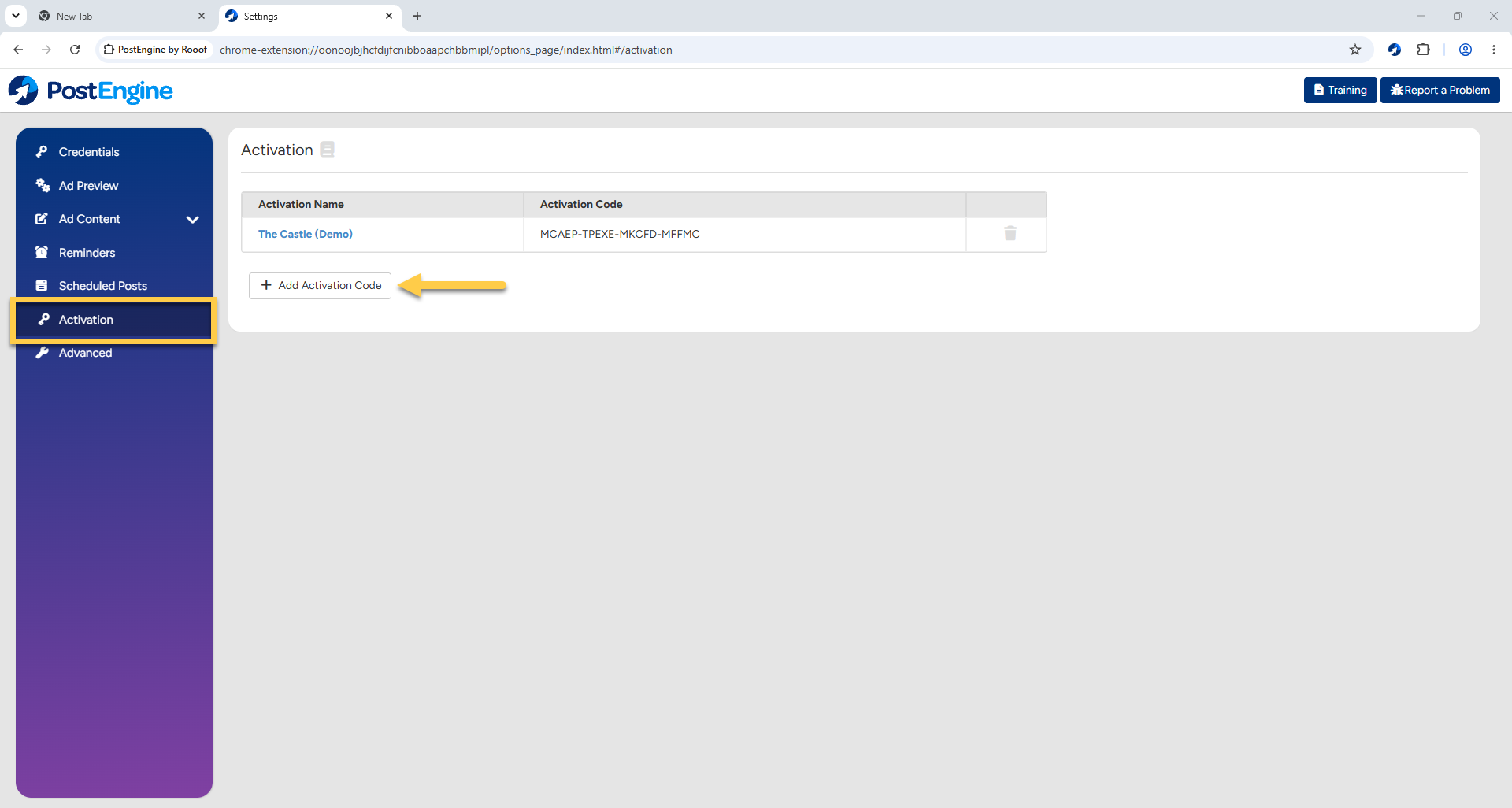
- In the blue menu on the left, click Activation.
-
To add another code, click + Add Activation Code.
-
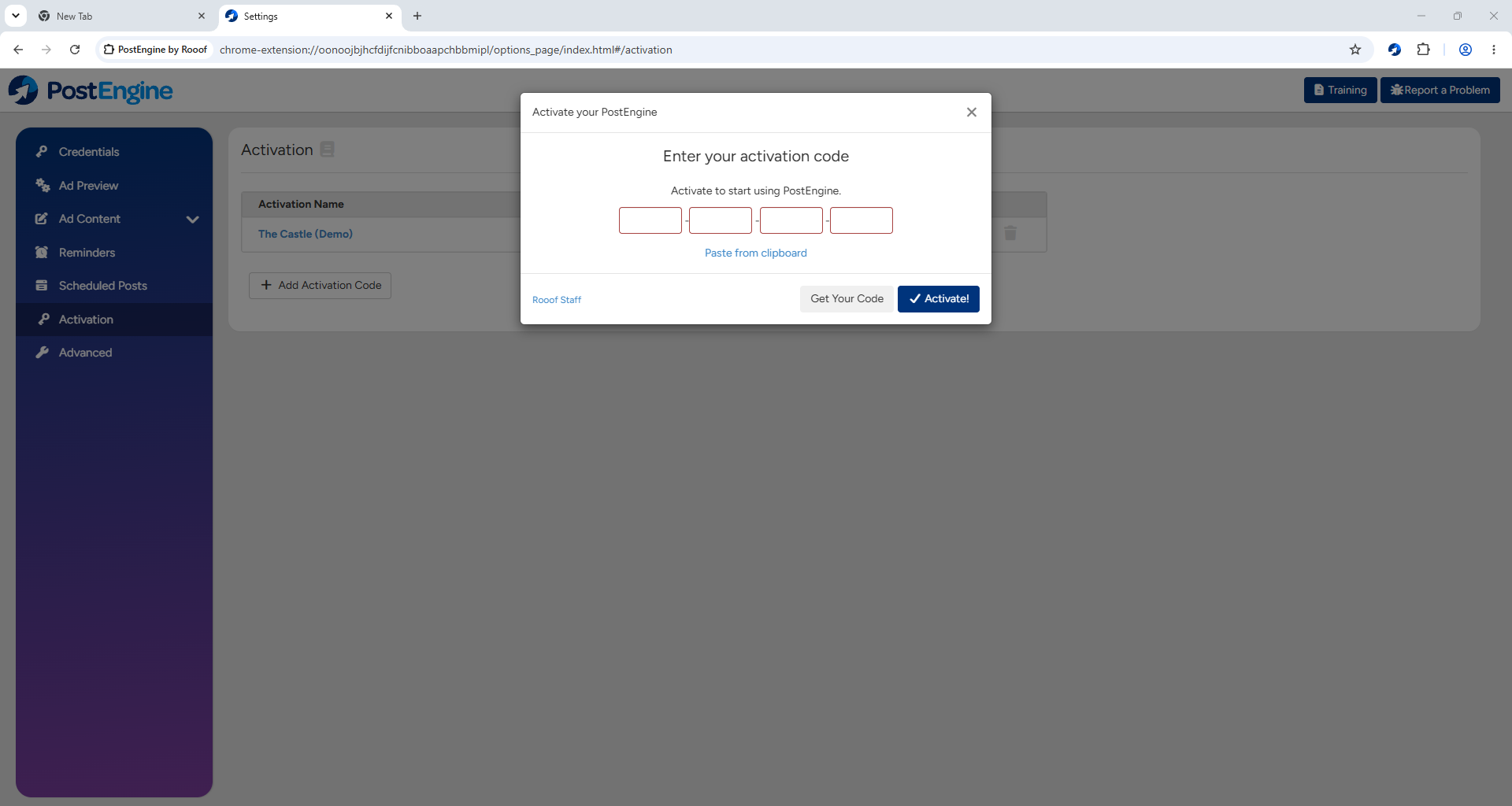
Enter the activation code in the pop-up and click Activate! to confirm.
-
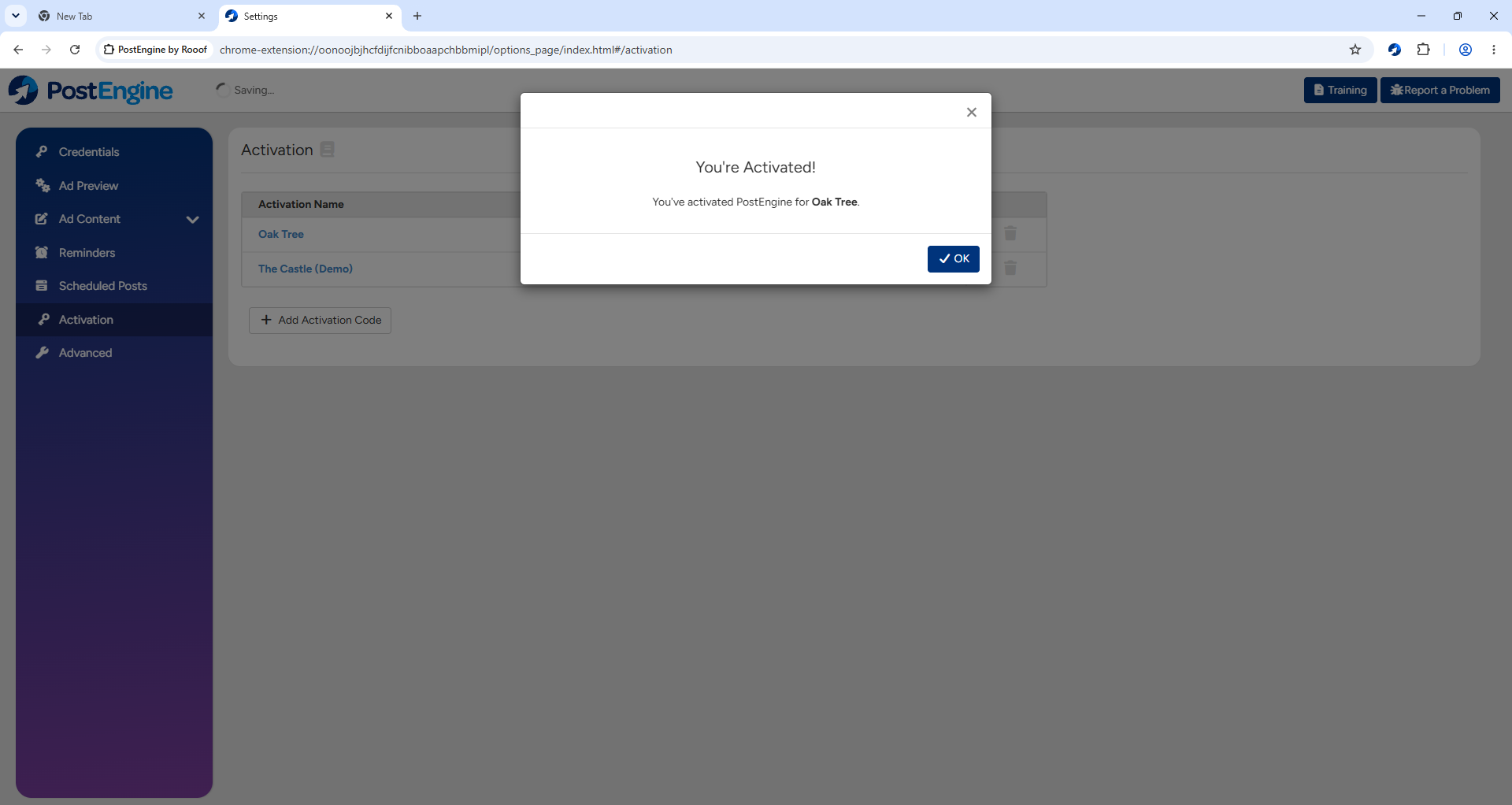
Success! Click OK to confirm.
-
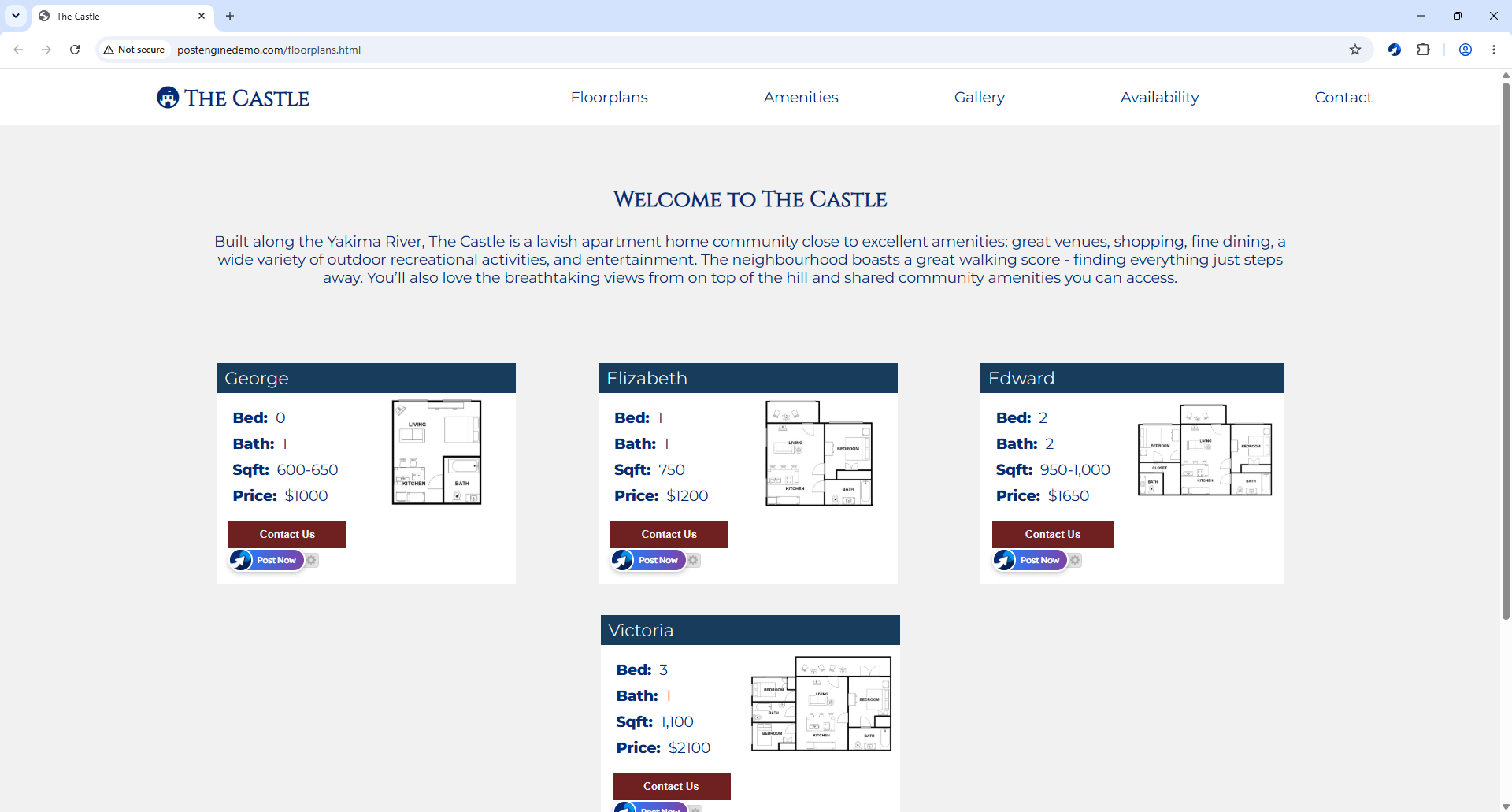
Now, when you use the Google Chrome browser to go to the property websites for the properties you're activated for, you'll be able to create and post ads to Craigslist using the blue Post Now buttons.
Remove an activation code
- Follow steps 1-5 listed in the previous section.
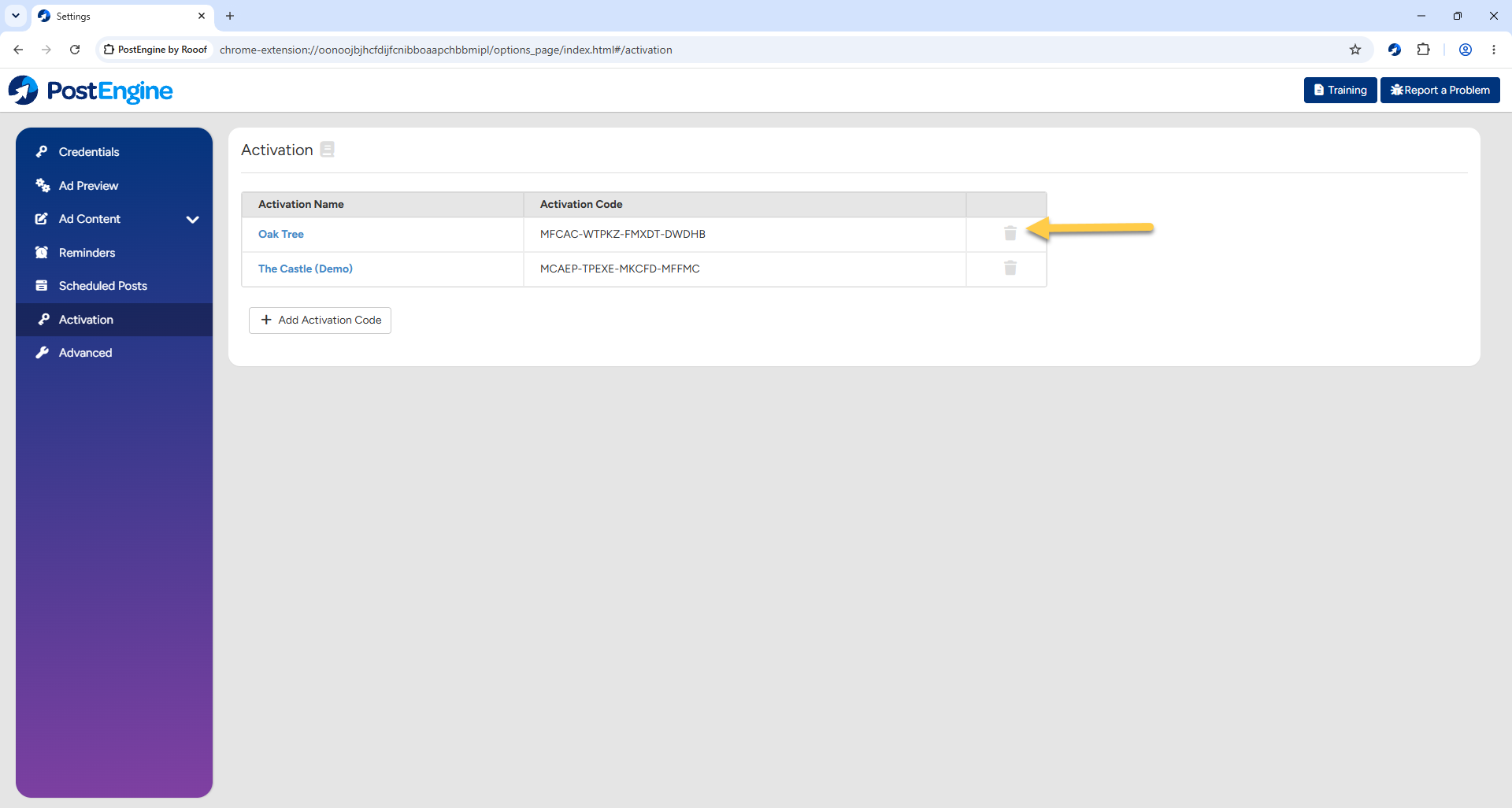
- Click the trash can icon next to the property you don't want to be activated for.
-
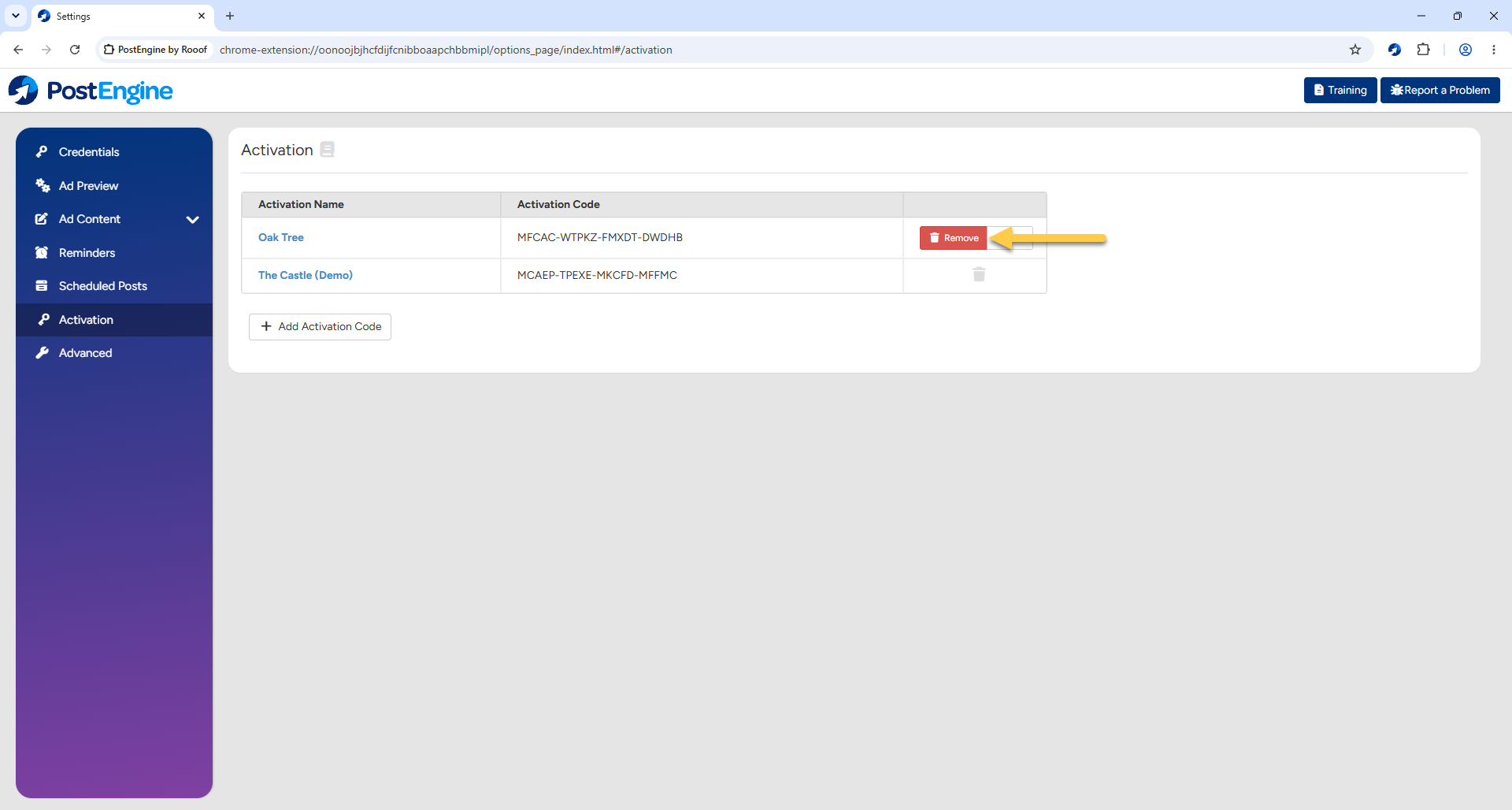
Click Remove to confirm.
Tutorial Video: Activating multiple properties in PostEngine for Chrome
Troubleshooting
Why do I need an activation code?
Activation codes help ensure PostEngine functions correctly and allow us to accurately report activity for your property.
I don't have the activation code(s) I need.
You can request the code from the self-serve install page or by contacting our support team by emailing help@rooof.com.
I see an error message when I enter my activation code.
Please reach out to our support team by emailing help@rooof.com, we're happy to help troubleshoot!